Using map data
The first thing that you will realise is, that there is not just one data set for the map like in the pollution data. There are different parameters that change the layout of the maps, therefore when reading the map data you can choose from these parameters. Nevertheless, there is a presetting, that gives you a map by the hand.
import emipy as ep
mb = ep.read_mb()

mb.plot()
Of special interest is the parameter NUTS_LVL, which is the level of the NUTS-ID’s which are the codes for categorized regions. See the Eurostat page for more information.
We start with the following set up:
NUTS_LVL = '1'
resolution = '10M'
projection = '4326'
SpatialType = 'RG'
m_year = '2013'

mb = ep.read_mb(resolution=resolution, SpatialType=SpatialType, NUTS_LVL=NUTS_LVL, m_year=m_year, projection=projection)
mb.plot().set(xlabel='Longitude', ylabel='Latitude')
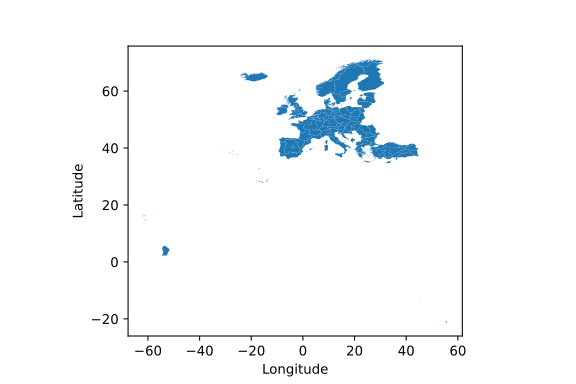
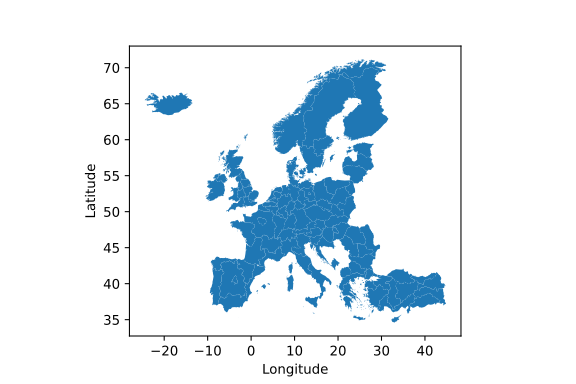
The filtering happens with the function f_mb(). Depending on the NUTS level, you can filter for countries or the corresponding NUTS-ID. Additionally, there is the argument ExclaveExclude which you can put on True to exclude the exclaves and map continental europe.
mapdata1 = ep.f_mb(mb, ExclaveExclude=True)
mapdata1.plot().set(xlabel='Longitude', ylabel='Latitude')
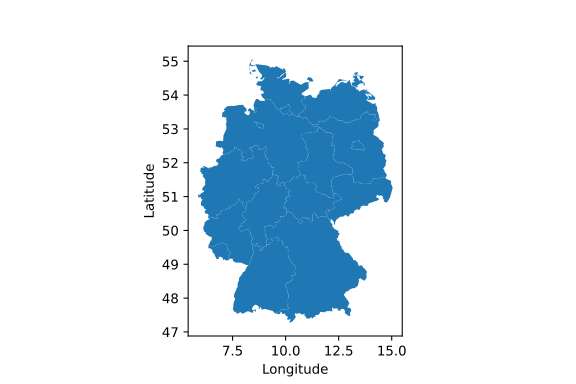
Lets generate a map of Germany
mapdata2 = ep.f_mb(mb, CNTR_CODE='DE')
mapdata2.plot().set(xlabel='Longitude', ylabel='Latitude')
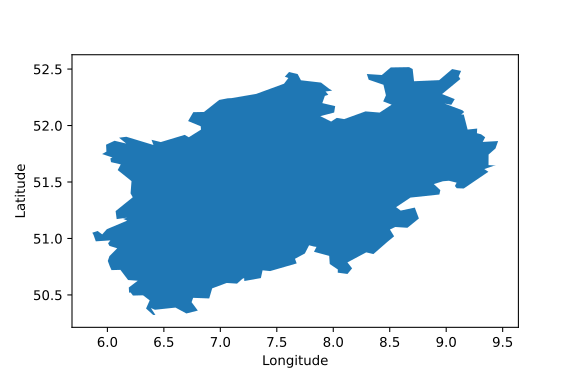
To map e.g. North Rhine-Westphalia you have to know, that the NUTS-ID is ‘DEA’ and can use it as a filter. You can look up the NUTS_ID’ at the link above or take a look in the DataFrame mb.
mapdata3 = ep.f_mb(mb, NUTS_ID=['DEA'], CNTR_CODE='DE')
mapdata3.plot(aspect='equal').set(xlabel='Longitude', ylabel='Latitude')
To combine map data and pollution data you have two options. You can plot the pollution sources on the map or create a colormap of the pollution in the regions.
Let’s start with mapping the CO2 sources in Germany and Austria in the year 2017.
import matplotlib.pyplot as plt

db = ep.read_db()

CountryName = ['Germany', 'Austria']
ReportingYear = [2017]
PollutantName = ['Carbon dioxide (CO2)']

data4 = ep.f_db(db,CountryName=CountryName, ReportingYear=ReportingYear, PollutantName=PollutantName)
mapdata4 = ep.f_mb(mb, CNTR_CODE=['DE','AT'])

fig1 = plt.figure()
ax1 = fig1.add_subplot(1, 1, 1)
#ax1 = mapdata1.plot(ax=ax1, color='lightgrey')
ax1 = ep.map_PollutantSource(data4, mapdata4, MarkerSize=200,
                             ax=ax1).set(xlabel='Longitude', ylabel='Latitude')
fig1.set_figheight(10)
fig1.set_figwidth(10)
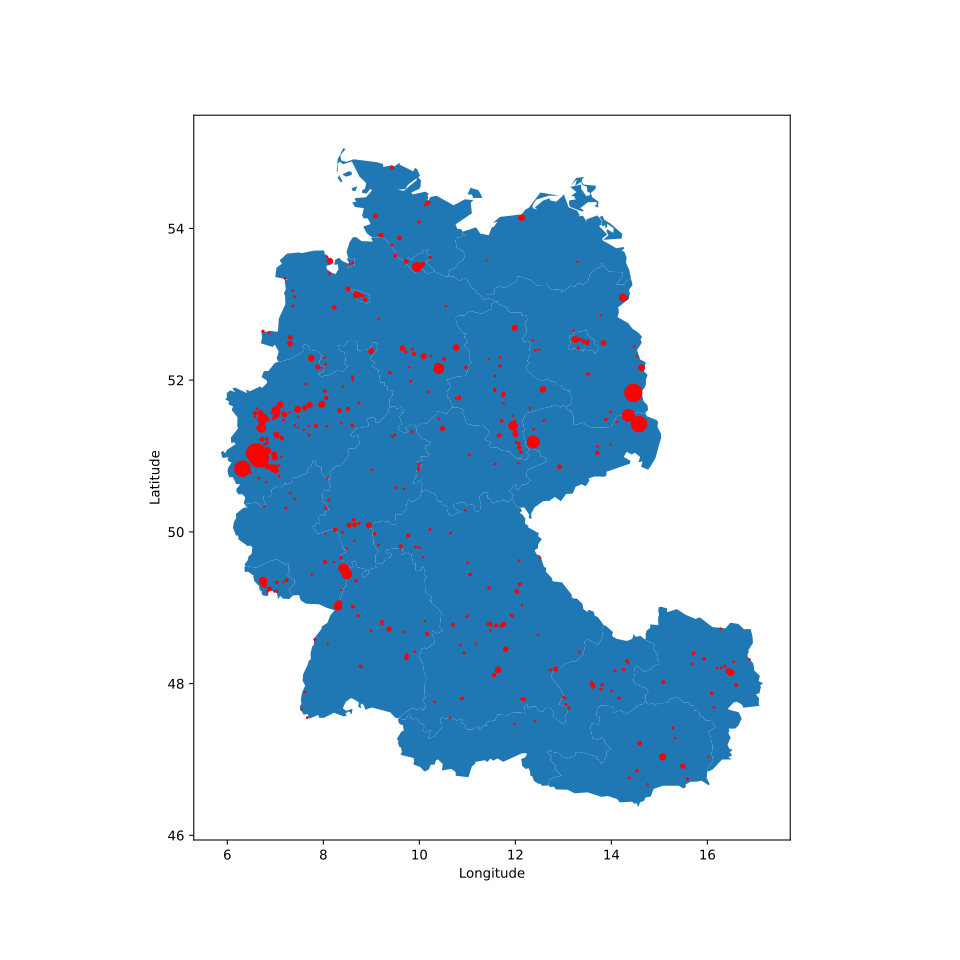
If you uncomment everything, you’ll get a complete map of Europe in light grey without emission sources, while Germany and Austria are highlighted and show their sources.
For the map_PollutantSource() you have to insert the data and map set. You can choose the MarkerSize, which is the size of the maximal output. The other sources are normalized to this value. If MarkerSize is put on zero or is not given at all, all marker have the same size.
map_PollutantSource() can return three different objects. The return is specified by the argument ReturnMarker which is [0] by default. If not choosen differently the function returns the axes-object, or the plot. ReturnMarker=1 returns the DataFrame with all data that are plotted. ReturnMarker=2 returns the DataFrame with all data that is not plotted. This might happen, when the coordinates of the data is bad and not inside the regions or not given at all.
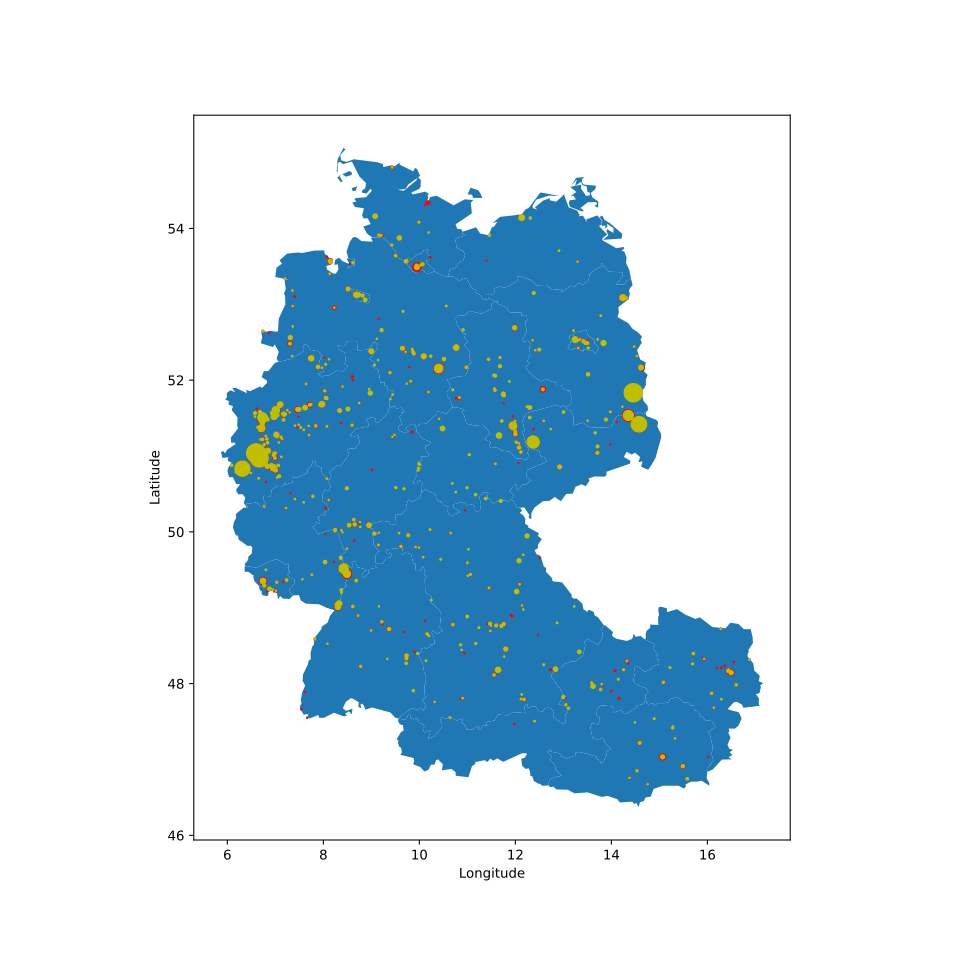
You can also plot different pollutants and color them differently with the parameter category.
CountryName = ['Germany', 'Austria']
ReportingYear = [2017]
PollutantName = ['Carbon dioxide (CO2)', 'Nitrogen oxides (NOx/NO2)']

data5 = ep.f_db(db,CountryName=CountryName, ReportingYear=ReportingYear, PollutantName=PollutantName)
mapdata5 = ep.f_mb(mb, CNTR_CODE=['DE','AT'])

fig2 = plt.figure()
ax1 = fig2.add_subplot(1, 1, 1)
ax1 = ep.map_PollutantSource(data5, mapdata5, MarkerSize=200, category='PollutantName',
                             ax=ax1).set(xlabel='Longitude', ylabel='Latitude')
fig2.set_figheight(10)
fig2.set_figwidth(10)
To plot the emission of specific regions you can use the map_PollutantRegions() function. In the following example we plot the emission of CO2 in Austria on NUTS-level 2.
NUTS_LVL = '2'
Resolution = '10M'
projection = '4326'
SpatialType = 'RG'
m_year = '2013'

mb = ep.read_mb(resolution=resolution, SpatialType=SpatialType,
                NUTS_LVL=NUTS_LVL, m_year=m_year, projection=projection)


CountryName = ['Austria']
ReportingYear = [2017]
PollutantName = ['Carbon dioxide (CO2)']

data6 = ep.f_db(db,CountryName=CountryName, ReportingYear=ReportingYear, PollutantName=PollutantName)
mapdata6 = ep.f_mb(mb, CNTR_CODE='AT')

fig3 = plt.figure()
ax1 = fig3.add_subplot(1, 1, 1)
ax1 = ep.map_PollutantRegions(data6, mapdata6, ax=ax1, legend=True)
plt.title("CO2 emission in Austria in the year 2017 in [kg]", fontsize=20)
fig3.set_figheight(10)
fig3.set_figwidth(20)
plt.xlabel('Longitude', fontsize=16)
plt.ylabel('Latitude', fontsize=16)
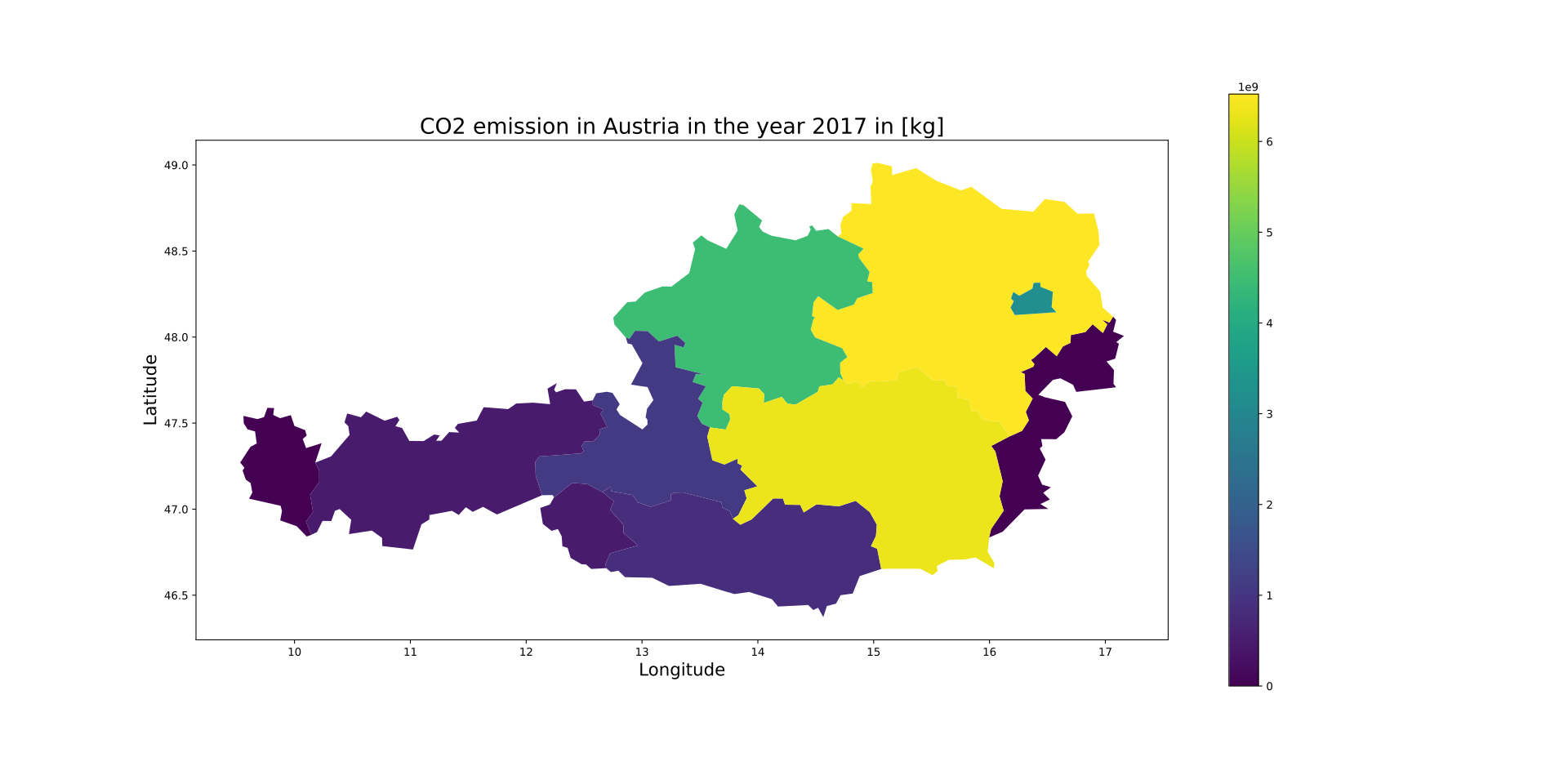
Since the returns of the functions are Axes-objects, you can use PyPlot functions and arguments to change the layout. You can also use Geopandas to personalize the plot generation because the map data is stored as a GeoDataFrame.